

Computer shortcut keys learn
If you are a frequent computer user then you must know about the keyboard shortcut keys.
Basically, a computer shortcut is a set of one or more keys that invoke a command in software or an operating system.
So, you can increase your productivity by invoking commands with a few keystrokes, otherwise, it will be accessible only through a menu, a mouse, or through any other aspect.Shortcut keys help provide an easier and quicker method of navigating and executing commands in computer software.Keyboard shortcuts can boost your productivity if your daily job relies heavily on using Windows.
They just don’t get the work done quickly, but also improves efficiency.
Give them a try and you just might find yourself getting addicted to keyboard shortcuts.Keyboard shortcuts are simple commands that keep your fingers on your keyboard instead of jumping back and forth to your mouse.
You probably already know common keyboard shortcuts like CTRL + C to copy and CTRL + V to paste, but there are tons of other shortcuts to do just about anything on your computer or in a specific program.
Learning those keyboard shortcuts can boost your productivity—potentially saving you 8 workdays worth of time each year, according to e-learning expert Andrew Cohen.But if it takes hours to memorize keyboard shortcuts, it can be hard to invest the time—even if you know itll pay off eventually.
Thats why we looked for apps to help.
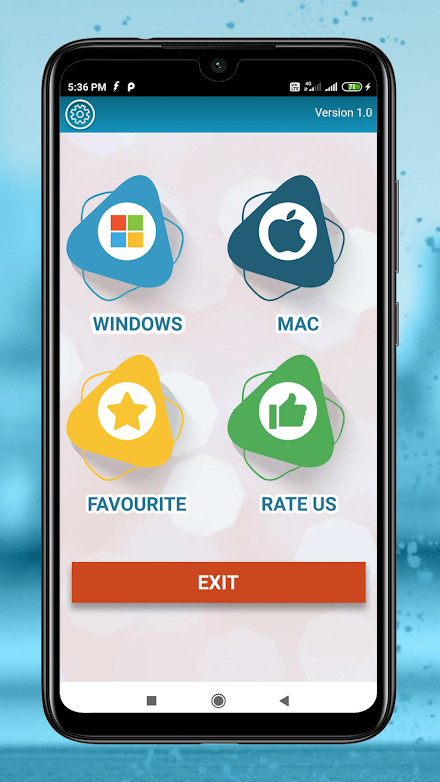
Here are the best ways to quickly learn the keyboard shortcuts that will give you an extra week’s worth of time.We’ve compiled a list of keyboard shortcuts for Windows and Mac 8000+ shortcuts grouped into categories for easy access.
If we missed some shortcuts in this list, kindly let us know through the following email [email protected].
About Computer shortcut keys learn
- Package name (App ID)
- learn.computer.keyboard.shortcut.keys
- Available on
- Google Play
- Price
- Free
- Developer
- Code Play
Looking for the Computer shortcut keys learn APK?
The safest way to get Computer shortcut keys learn (learn.computer.keyboard.shortcut.keys) on your Android device is to install it directly from Google Play — you'll always get the latest official version, automatic updates, and no risk of modified or infected APK files from third-party sites.

Productivity Tools
Boost your productivity with powerful tools and features.
Learning Tools
Enhance your learning experience with interactive features.
Lifestyle
Enhance your lifestyle with personalized tips and features.
See Computer shortcut keys learn in Action


Frequently Asked Questions
Is Computer shortcut keys learn free?
Yes, Computer shortcut keys learn is free to download and install on Android through Google Play.
How do I install Computer shortcut keys learn on Android?
Open Google Play on your Android phone or tablet, search for Computer shortcut keys learn by Code Play or tap the Google Play button on this page, then tap Install. The app downloads and installs automatically.
What is learn.computer.keyboard.shortcut.keys?
learn.computer.keyboard.shortcut.keys is the App ID (package name) of Computer shortcut keys learn on Google Play. Every Android app has a unique package name, and it is the safest way to verify you are installing the official app.
Is Computer shortcut keys learn safe to download?
Installing Computer shortcut keys learn from Google Play is the safest option: you get the official version published by Code Play, verified by Google Play Protect, with automatic updates. Avoid APK files from unofficial third-party sites.

Get Computer shortcut keys learn Today
Computer shortcut keys learn for Android — free download on Google Play.
Compatible with Android phones and tablets — available on Google Play.
Ask AI about this app
Get instant answers about features, tips and more from popular AI assistants.